Lenovo IdeaPad S340 DDR4 RAM and NVMe SSD upgrade
Lenovo Ideapad S340-15API DDR4 RAM and M.2 NVMe Solid State Drive upgrade (20GB+1TB)
 ToxicNerd
 Upgrading this Lenovo IdeaPad S340 is pretty straight forward and can be done by anyone able to use screwdriver. Both SSD and RAM can me upgraded on this model, additionally... there’s a free 2.5” HDD/SSD bay. This Lenovo IdeaPad S340-15API has 4GB DDR4 RAM soldered to the motherboard and we are going to add additional 16GB so in total this machine will have 20GB of memory. NVMe SSD will be upgraded to 1TB SAMSUNG solid state drive. For hassle free upgrade please check video above.
How to open
To open Lenovo Ideapad S340 you will need TORX T5 screwdriver. Remove all the screws from pack panel, see image below:


RAM and SSD upgrade:
As mentioned earlier we are going to upgrade RAM and NVMe SSD on this laptop, 2.5” HDD bay stays untouched. See image below:

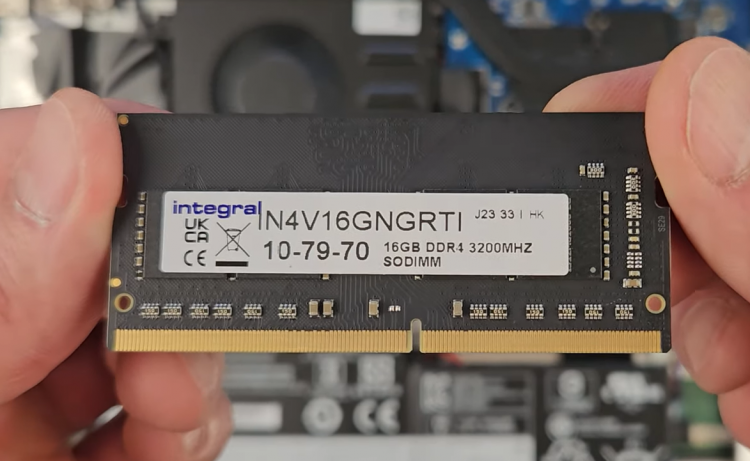
See image below of the RAM to be fitted into this laptop (Integral 16GB DDR4 3200MHz)
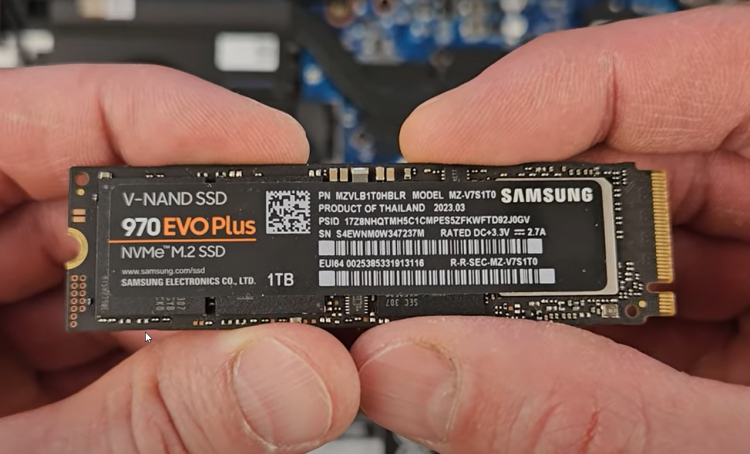
NVMe SSD: Samsung 970 EVO Plus 1 TB
Hope this helps and you will be able add additional storage and memory, for the complete upgrade tutorial please watch video above.